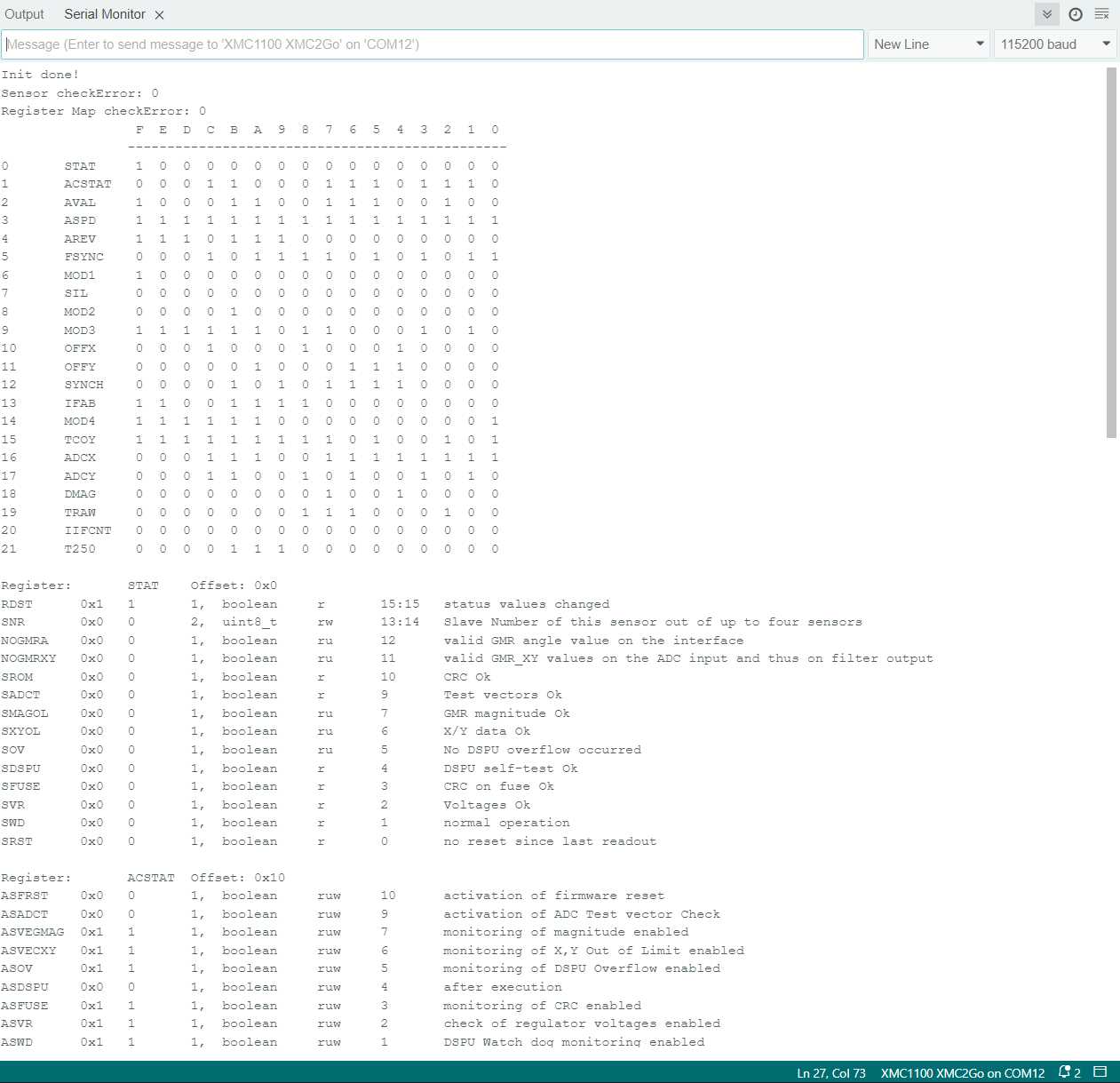
Example to read the Sensor Registers
This example program will printout all documented registers from the sensor and writes this to the serial port with remark infos for each register. Please have look at the sensor TLE5012B manual for more detailed information about each register.
Note
This Sketch needs about 35 kB of memory and does not compile on the original Arduino Uno. Use the sensorType.ino instead.
Note
This program includes a local const.c file with the serial output text.
Setup
Connect the sensor to the hardware platform.
Connect the hardware platform to the PC.
Open the Arduino IDE.
Open the serial monitor.
Select the correct serial port.
Select the correct baud rate (115200).
Place a magnet close to the sensor to get a valid angle value.
Expected Output
A long list of register values with remark infos for each register.
A bit matrix of all registers.
The output is in a human readable format.
The output does not loop and stops after the last register.
Additional Information
This example demonstrates how to use each of the sensor registers and register functions.